
Second Chance Scratch-Off Games: One Promotion, Two Chances to Win
Second Chance Scratch-Off Games: One Promotion, Two Chances to Win. Discover how second chance scratch-off games create instant winners, boost engagement, build customer lists, and








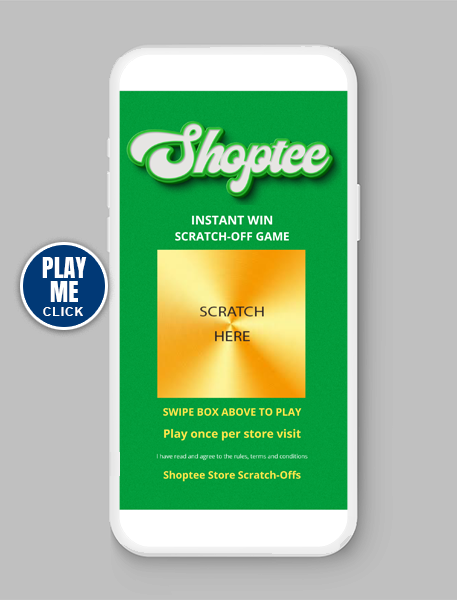

Second Chance Scratch-Off Games: One Promotion, Two Chances to Win. Discover how second chance scratch-off games create instant winners, boost engagement, build customer lists, and

Digital Scratch-Off Promotions for Banks & Credit Unions: 3 Flexible Campaign Strategies. Interactive Promotional Games for Banks, Credit Unions & Financial Institutions. Engage Customers and

How to Finish 2026 Strong: Q4 Promotion Strategies for B2B, Customer & Employee Engagement Digital Gets Attention. Human Validation Closes Confidence Gaps. The fourth quarter
Second Chance Scratch-Off Games: One Promotion, Two Chances to Win. Discover how second chance scratch-off games create instant winners, boost engagement, build customer lists, and

The QR Code Comeback: Bridging the Gap Between In-Store Foot Traffic and Digital Retention. For years, the QR code was the “tech that almost was.”

Point-of-Sale Sweepstakes & Promotions That Inspire Customer Interaction and Deliver Measurable Success The point of sale gives brands one of their most strategic opportunities to
Second Chance Scratch-Off Games: One Promotion, Two Chances to Win. Discover how second chance scratch-off games create instant winners, boost engagement, build customer lists, and

Branded Gamification That Drives Growth Across Every Location Unify your brand experience, energize your customers, and track measurable results across every store, franchise, or regional

Franchises and multi-location businesses are continually seeking innovative ways to drive foot traffic, engage customers, and foster brand loyalty across all their store locations.
Second Chance Scratch-Off Games: One Promotion, Two Chances to Win. Discover how second chance scratch-off games create instant winners, boost engagement, build customer lists, and

Stop Promoting Events. Start Engineering Engagement. Event marketing is broken—not because of attendance, but because of engagement. Here’s how interactive scratch-offs turn passive traffic into

Want to attract a crowd to your tradeshow booth? Try this. Standing out at a tradeshow isn’t easy when every vendor is vying for attention.
Second Chance Scratch-Off Games: One Promotion, Two Chances to Win. Discover how second chance scratch-off games create instant winners, boost engagement, build customer lists, and

Boost Employee Rewards with Proven Performance Metrics. By Dennis Romano In today’s workplace, keeping employees engaged and motivated is more challenging and essential than ever.

Reward employees working remotely – Engaging staff working remotely boosts business return on investment.
Second Chance Scratch-Off Games: One Promotion, Two Chances to Win. Discover how second chance scratch-off games create instant winners, boost engagement, build customer lists, and

Rethinking Text-to-Win Sweepstakes: Elevating SMS Promotions with Interactive Engagement Text-to-Win sweepstakes have long been a staple of SMS and sales promotion campaigns. Text-to-Win sweepstakes are

How SMS Providers Can Extend Client Value with QR Code QR code sweepstakes for marketers. As brands continue to seek measurable, privacy-aware ways to engage

From Instagram Comments to Verified Leads: How Gamified Scratch-Offs Convert Social Engagement By combining Instagram comments, ManyChat automation, and interactive digital scratch-offs, brands can now

How to Use YouTube to Drive Promotion Engagements YouTube can be a powerful channel to amplify Priiize Scratch-Off Game Promotions if used strategically. Step-by-Step Guide

Social Media Scratch-Off Games That Drive Engagement How Sharing, Tagging, and Participation Work in Social Media Promotions IntroductionSocial media is noisier than ever. Brands are
